 Frelixor
Frelixor
Frelixor

Basket Launch Physics Puzzle keeps its scope tight: launch a character, bounce off walls, reach the basket, and collect fruit along the way. The 20-level structure and limited lives encourage careful aiming rather than random attempts. Red platforms that disappear add urgency without complicating the controls. It suits players who want short, low-pressure sessions with a bit of spatial reasoning. The main limitation is that the concept stays simple throughout, so players seeking deep progression may find it light.
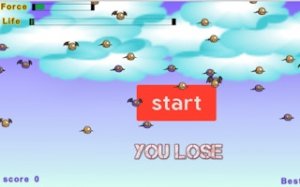
Each stage in Basket Launch Physics Puzzle asks you to move a character from a starting point into a goal basket. You tap and drag on the character to set the slingshot's angle and power, then release. The character flies forward, bounces off walls and other surfaces, and continues until momentum runs out. Reaching the basket is the win condition, so the real task is reading the room's geometry before you shoot. A shot that looks direct often clips a wall and caroms away, while an indirect bank shot can land cleanly.
Colorful fruits sit along the route. Collecting them raises your score, and a perfect run means grabbing every fruit on the way to the basket. That turns each launch into a small routing problem: the fastest path to the basket may skip fruit, while a longer bounce route can sweep them up. Glowing red platforms add time pressure. Stay on one too long and it disappears, costing a life. You have a limited number of lives per level, so a careless bounce that parks you on a red platform can undo an otherwise solid attempt.
The game includes 20 levels with steadily increasing difficulty. Early stages introduce the basic launch-and-bounce idea, while later ones combine tighter wall angles, more fruit placements, and red platforms that demand quick follow-up moves. Before starting, you can visit the customization menu to pick a character skin. The bright visuals and responsive physics make successful shots feel earned, and the level count keeps sessions short enough for quick breaks or longer play.
Sign in to comment
You must be logged in before posting a review or rating.
No comments yet. Be the first to comment!






Editorial Notes