Fallen Apples Arcade Game
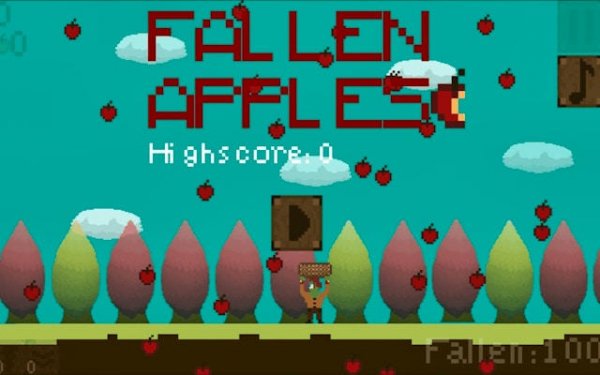
Fallen Apples is a charming arcade game where you catch apples tumbling from the sky. Simple controls and increasing difficulty make it perfect for quick breaks or longer sessions. Collect golden apples for bonus points and use power-ups to extend your run.
Reviews
Simple, addictive fun. Great for quick breaks with rewarding power-ups and increasing challenge.
About this game
Game Introduction
Fallen Apples is an arcade game set in a vibrant orchard where players catch apples falling from the sky before they hit the ground. The core objective is to test your reflexes and timing as the pace gradually increases. Rare golden apples appear occasionally, offering a significant score boost. The game features clean visuals and a family-friendly design, making it suitable for all ages. It provides endless entertainment during short breaks or longer gaming sessions.
How to Play
Players control a basket at the bottom of the screen, moving it left and right using a mouse or finger. The goal is to catch falling red apples to add to your score. Missing an apple ends your run, so staying focused is key. Golden apples appear occasionally and give a generous point bonus. Points collected can be used to buy power-ups from the in-game shop, such as a magnet that attracts apples or a slowdown effect. The controls are simple, making it easy for anyone to pick up and play.
Game Features
Simple controls allow for easy pickup play. Golden apple bonuses provide significant score boosts. A power-up shop lets players purchase upgrades like a larger basket or magnet. Increasing difficulty keeps the challenge fresh. The game is family-friendly and suitable for players of all ages. These features combine to create a rewarding and engaging arcade experience.
Tips for Success
Practice regularly to improve your reflexes and timing. Focus on catching golden apples for a major score boost. Use power-ups strategically to extend your play and maximize points. Stay alert as the game speed increases over time. Plan your moves carefully to avoid missing apples. These strategies will help you climb the leaderboard and enjoy longer sessions.
Compatibility
💻 Desktop | 📱 Mobile | 📟 Tablet – All supported · Best with Chrome or Safari